Blogs
>
How to Update Your Clients' GBP Pages with COVID-19 Posts
Blogs

How to Update Your Clients' GBP Pages with COVID-19 Posts

From new hours to new services related to the coronavirus pandemic, Google’s latest posting option allows your updates to appear at the top of your…
Edited by,

Translated by

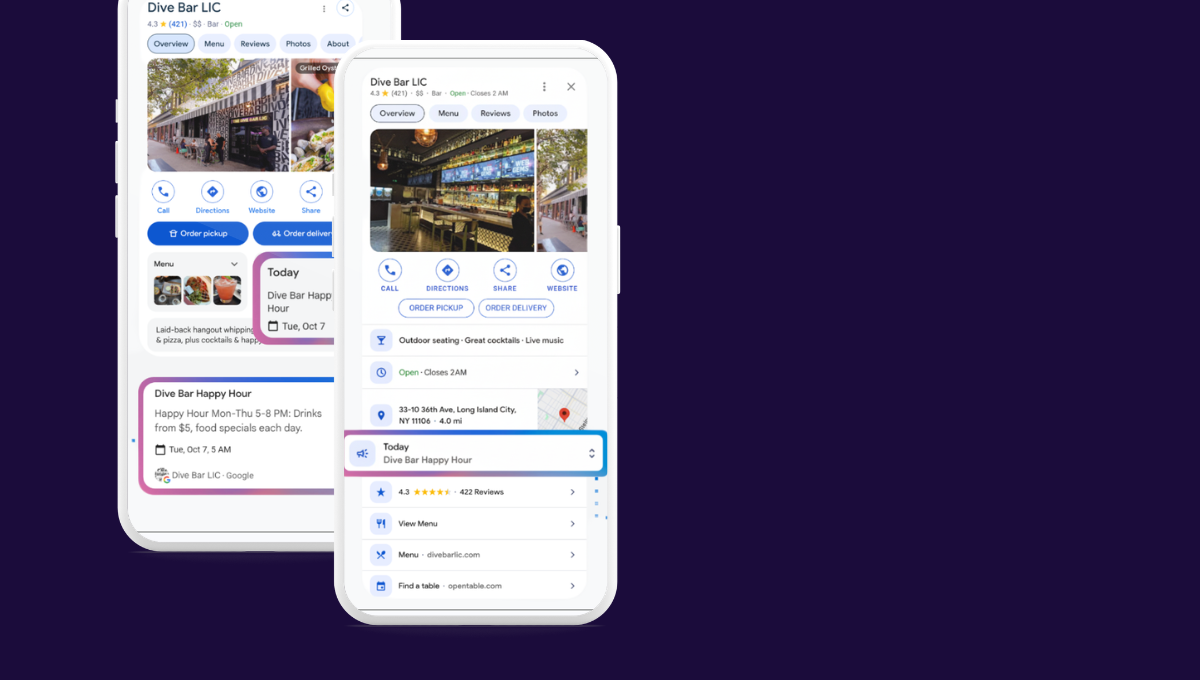
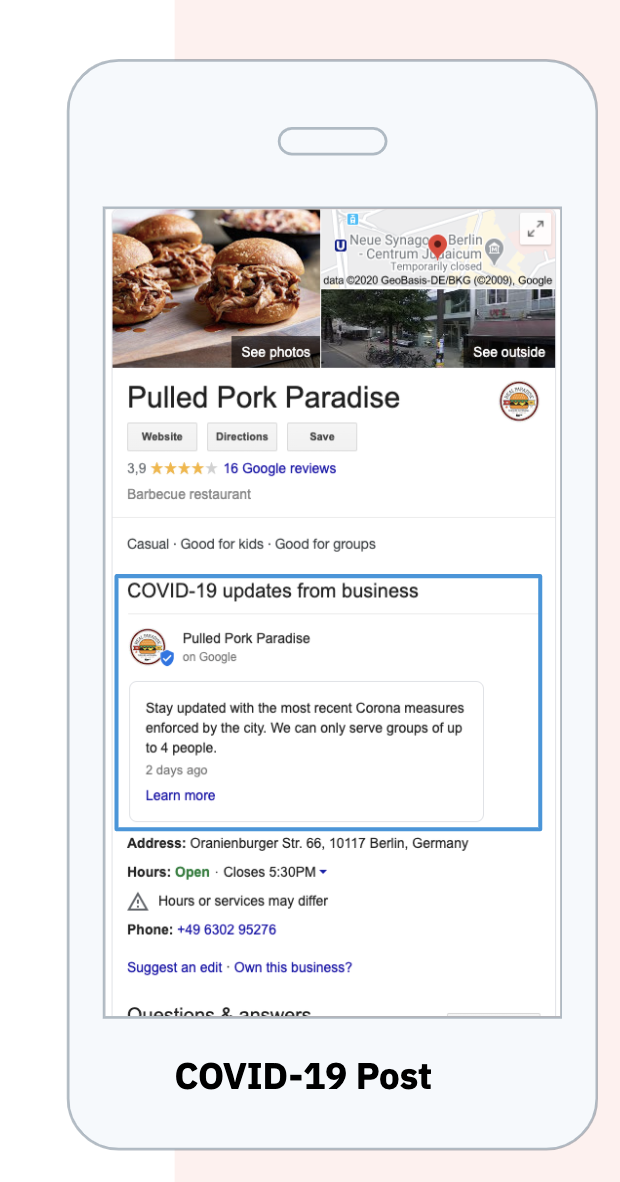
Google My Business (GMB) has recently rolled out COVID-19 specific posts, which appear at the top of the business profile in local search — this is in addition to the posting feature already available.

This offers another way to ensure customers are in the know, as soon as information related to the coronavirus is updated— great news if your clients own a business or if you are a digital marketer managing the online presence for a multi-location business.
Why this Matters

As small and medium-sized businesses and multi-location brands prepare to reopen and pivot their offerings, consumers are going online first for the products, services and information they need to inform themselves about businesses online. It is important to have the most up-to-date information about changed opening hours, the availability of products along with safety and hygiene regulations. GMB pages are the primary way that customers seek this information out and start their buying journey.

Besides, nobody wants to trek all the way outside only to turn up to a closed store or restaurant, right?

What to Include in a COVID-19 Post

The COVID-19 post type is designed for announcements directly related to the pandemic, such as:

  • Temporary closures
  • Special contact information, such as information hotlines
  • New or modified operating hours
  • Changes to regular services, such as patio service only or delivery
  • Safety precautions and instructions (such as wearing a mask, for example)
  • Updates on stock levels

How to Create COVID-19 Posts for Multiple Locations at Scale

If your clients are not using the Uberall platform or a platform that can automatically update location data, they will need to update each listing manually. To do so, follow the instructions in this Google My Business Help Page.

If you’re an Uberall partner already using our Reputation Management product, it's easy to create COVID-19 posts for as many locations at once. Here’s how:

  • Click create new post (top-right corner) or save a post as a template‍ for later
  • On the dialogue page, specify COVID-19 as the type of post
  • Tailor the COVID-19 related information for as many locations as you have
  • Select the locations for which you want to create content or tick the 'All locations' checkbox.
  • Before publishing, preview to check that the information is correct
  • Click post to publish the content instantly

Note: There is no option to select the time frame for COVID-19 posts. Also, only plain text content is allowed for these types of posts.

For more discussion and resources related to marketing in times of social distancing, check out Uberall’s coronavirus info hub for more information.


Ready to Transform Your Business?

Connect with our partnership team to learn how Uberall can help you achieve similar results. Get a personalized consultation and discover the opportunities waiting for your business.

Schedule a call
Get a custom demo

Resources

You might also find interesting

Woman wearing gloves and holding a hot cup of coffee
Blogs
Hospitalidad
Retail
Digital Marketing
Christmas Marketing Tips for Multi-Location Businesses

The year’s biggest shopping days are coming earlier this year. We present to you the art and science of Christmas marketing.

wall with glasses
Blogs
Digital Marketing
Healthcare Marketing Strategies to Heal Your Patient Acquisition and Retention

Small or nonexistent marketing team at your healthcare practice or facility? Discover what will help you stand out from your competitors.

Woman in apron holding tablet
Blogs
Digital Marketing
Restaurant Marketing Strategies for Teams with Multiple Locations

Consumers use mobile devices for 89% of dining research—but how can you ensure your restaurant is visible and ready for diners when they look?

Scale Restaurant Growth Graphics
Blogs
Customer Experience
Podcast Pieces: How to Get More Customers in Your Restaurant — and Get Them to Return

Discover how to get more customers in your restaurant — straight from hospitality marketing expert Rev Ciancio, who’s helped several restaurant teams.

AI chatbot preview
Blogs
Product Updates
Get It Done, Stay in Control: How UB-I Executes Location Marketing Tasks in Seconds

You’re a location marketer feeling overstimulated by tasks & undersupported with resources? Discover UB-I, your agent for task execution with AI now!

Uberall logo
Blogs
Review Management
AI Reviews: Multi-Location Reputation, Boost Sales

Discover how AI simplifies multi-location review management, turning customer feedback into a stronger reputation and more sales across all your locations.

car at the gas station
Blogs
Digital Marketing
How Charge Point Operators Are Maximizing EV Station Utilization

Back up with EV index insights, we show you how to boost your charging stations profitability through local digital marketing. 🔌

guy flexing biceps
Blogs
Digital Marketing
Your Black Friday Marketing Strategy: How to Win Local Consumers

Get your locations ready for Black Friday. Boost visibility, engagement & conversions in the era of AI search with these smart local marketing tactics.

guy wokring on his laptop
Blogs
Hospitalidad
Digital Marketing
Get Consumers Clicking “Book” with These Hospitality Marketing Strategies

Step 1: Stand out from other hospitality brands. Step 2: Attract bookings. Step 3: Gain loyal customers. Discover expert hospitality marketing strategies.

Blogs
Digital Marketing
How Does the “New” Search Affect Retail Marketing Strategies?

You’re a retail or location marketer who doesn’t know what to measure anymore? What to prioritize? Discover the latest stats & tips from our expert team.

Previous
Next